What is a Content creator compared to a Photographer or Videographer
Content creator vs Photographer vs Videographer — detailed comparison

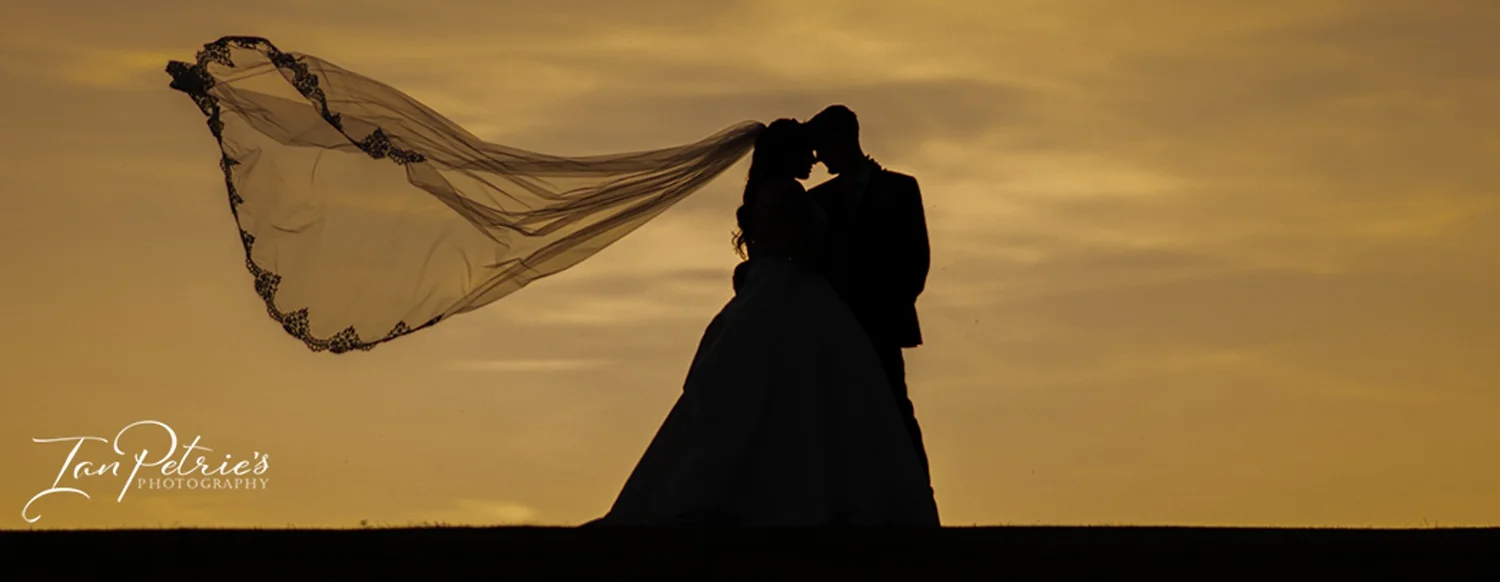
Photo by Ian Petrie’s Photography and Film of an event tent for a wedding
Definitions and primary roles
Content creator
Creates a range of digital content aimed at online platforms: short-form video (Reels, TikToks), social media posts, blog visuals, behind-the-scenes, promotional clips, thumbnails, GIFs, carousel posts and sometimes long-form video or photography.
Focuses on storytelling, audience engagement, trends, platform optimisation and repurposing content across channels.
Often handles copywriting, captions, basic graphic design, scheduling and sometimes analytics/SEO.
As they focus on current trends, this can mean they content gets outdated very quickly.
Photographer
Captures still images with an emphasis on composition, lighting, technical image quality and creating a set of printable or high-resolution digital photographs.
Works in genres such as wedding, portrait, commercial, editorial, product and landscape photography.
Delivers fully edited, colour-graded JPEGs in high-resolution, ready for print and web.
Videographer
Shoots longer-form moving-image content: ceremony coverage, cinematographic wedding films, promotional videos, documentaries, interviews and event highlights.
Focuses on storytelling through motion, sound, pacing and continuity; often produces a finished film with editing, colour grading and sound design.
Provides high-bitrate video files suitable for broadcast, cinema-style playback and web distribution.

Drone video and photo by Ian Petrie’s Photography
Equipment typically used
Content creator
Cameras: Generally an Iphone or other high quality mobile phone, not professional cameras as a general rule of thumb, but some are using compact hybrids or low end digital cameras (e.g. Sony A7-series, Canon R, Fujifilm, Panasonic Lumix, high-end smartphones).
Lenses: versatile zooms (24–70mm), fast primes for shallow depth of field; macro or wide-angle depending on niche.
Audio: on-camera mics, lavalieres for talking-heads.
Stabilisation: Some do now use gimbals, but mostly small tripods, handheld rigs.
Lighting: Mostly natural light but can involve portable LED panels, ring lights for social shoots.
Accessories: mobile editing apps, portable backdrops, props.
Software: mobile/desktop editing apps (CapCut, Rush, Canva). Often considered none professional grade compared to the software photographers or videographers use.
Photographer
Cameras: full-frame DSLRs or mirrorless (Canon EOS R / 5D, Nikon Z / D850, Sony A7-series), sometimes medium format for commercial work.
Lenses: a wider range of specialised lenses — wide-angle, standard primes (35mm, 50mm, 85mm etc), telephoto, macro, tilt-shift for product/architecture, Plus backups.
Lighting: studio strobes, softboxes, off-camera flash, reflectors.
Stabilisation: tripods, monopods.
Accessories: colour calibration tools, tethering cables, light modifiers, sturdy camera bags.
Software: Lightroom, Capture One, Photoshop for high-quality editing and retouching.
Videographer
Cameras: cinema or hybrid mirrorless cameras (Sony FX/FS series, Canon Cinema EOS, Blackmagic Pocket Cinema Camera, RED for higher-end).
Lenses: cine lenses or fast primes with focus control; zooms for run-and-gun work.
Audio: professional recorders (Zoom, Tascam), shotgun mics, lavaliers, XLR interfaces.
Stabilisation: gimbals (DJI Ronin), sliders, dollies, tripods with fluid heads.
Lighting: LED panels with quality colour rendering, fresnels for controlled light.
Accessories: external monitors/recorders, ND filters, matte boxes, follow-focus systems, larger batteries and media.
Software: DaVinci Resolve, Premiere Pro, Final Cut Pro for editing and grading.
File quality and suitability for playback or printing
Content creator
Files are often compressed and optimized for social platforms: MP4/H.264 or HEVC for video, JPEG/HEIF for images.
Resolution commonly ranges from 1080p to 4K for video; images suitable for web and social. Quality is fine for screen viewing; less consistent for large prints unless shot and exported with print in mind.
Advantages: fast turnaround, small file sizes for quick upload, platform-friendly aspect ratios (9:16, 1:1).
Limitations: lower bitrate and compression can limit dynamic range and detail for large prints or high-detail playback.
Photographer & Videographer
Files: RAW (CR2, NEF, ARW, RAF) and high-resolution JPEG exports. RAW stores maximum dynamic range and detail.
Print suitability: excellent — files typically 24–100+ megapixels depending on gear, suitable for large, gallery-quality prints.
Screen playback: images displayed on web are optimised by the photographer; high-quality detail is retained for close viewing.
4K+ video mp4’s and high quality mics not built in mics for a clearer sound quality and noise reduction of surrounding sounds for play backs on all device types.
Find out more about Ian Petrie’s Photography